
Ask any marketing manager what keeps them up at night, and “brand inconsistency” is usually on the list. Outdated logos, mismatched colors, and a “brand guidelines” PDF nobody’s opened in months — it’s a common problem for growing teams.
This is the exact problem brand management tools were built to solve. They’re not just fancy file storage — they’re the operational backbone that keeps a brand looking, sounding, and behaving the same way everywhere it shows up, whether that’s a billboard in New York or a customer support email in Manila.
In this guide, we’ll walk through what brand management tools actually do, why it matters more than most companies realize until it’s too late, how the top platforms stack up against each other, and how to pick the right one without wasting a budget cycle on the wrong tool.
What Are Brand Management Tools?
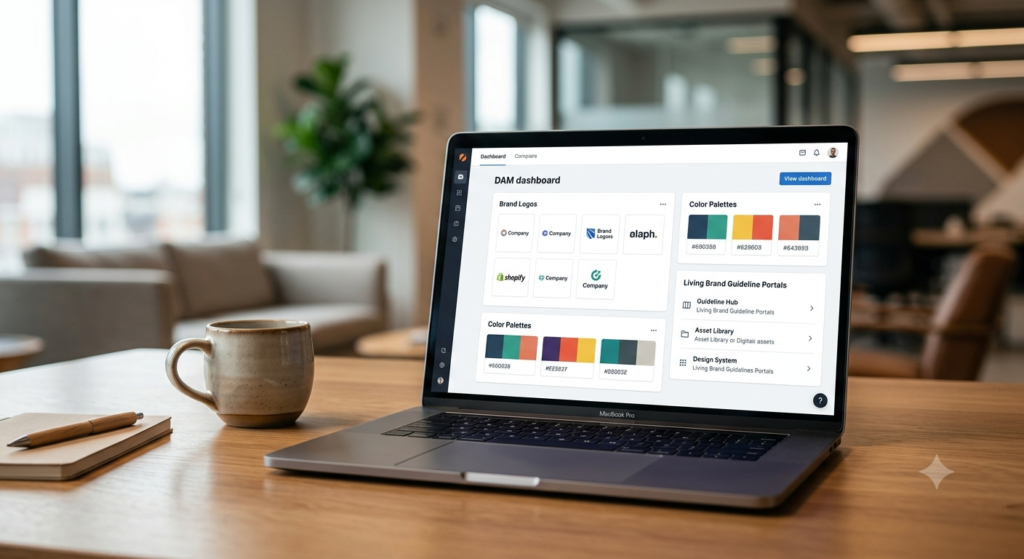
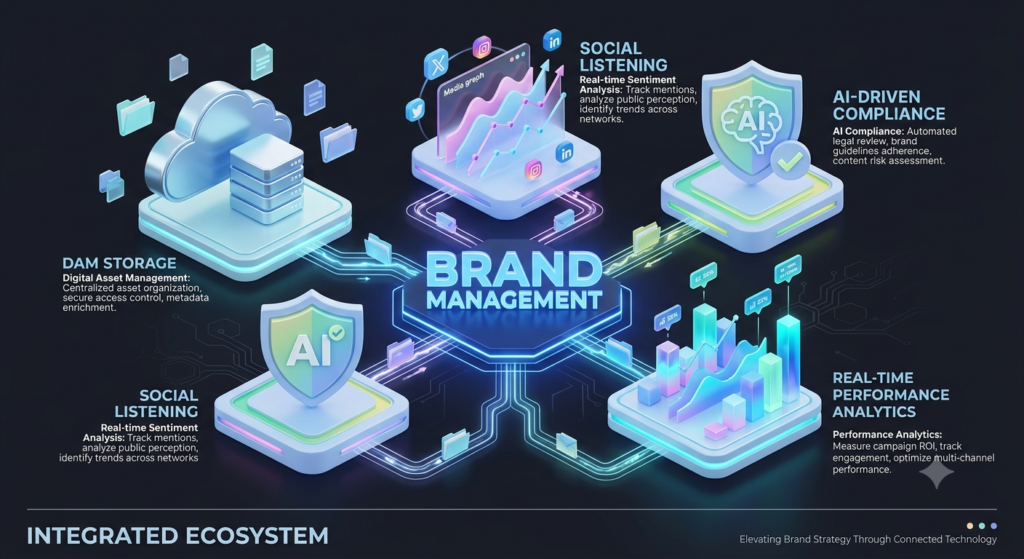
At their core, brand management tools (sometimes called brand asset management software or digital asset management platforms) are centralized systems that store, organize, and distribute a company’s brand identity elements — logos, color palettes, typography, tone-of-voice guidelines, photography, and marketing templates. But calling them “storage” undersells what the good ones actually do. Most modern platforms combine several capabilities into one system:
- Digital Asset Management (DAM): a searchable, permission-controlled library of approved, up-to-date brand files
- Brand guideline portals: interactive, living style guides that teams, agencies, and partners can reference instead of a static PDF
- Collaboration and approval workflows: shared workspaces where feedback, revisions, and sign-offs happen in one place instead of scattered across email threads
- Brand monitoring and sentiment analysis: tools that track mentions, reviews, and conversations about the brand across the web and social media
- Performance analytics: dashboards that show brand health, reach, and engagement trends over time
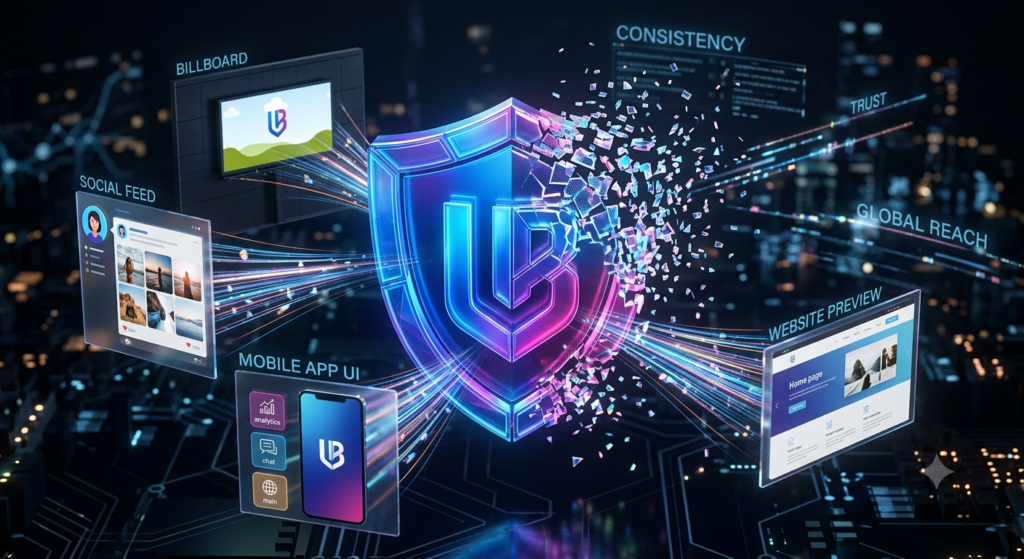
Put together, these features solve a problem almost every growing company eventually runs into: brand fragmentation. Without a single source of truth, different teams end up pulling outdated logos, writing off-brand copy, and shipping visuals that quietly chip away at how consistent — and how trustworthy — the company looks to the outside world. That’s exactly the gap brand management tools are designed to close.
Why Brand Consistency Actually Matters for Growth
It’s tempting to treat brand consistency as a nice-to-have, something the design team cares about more than the business does. In practice, it’s closer to a growth lever. Customers build trust through repetition — the same colors, the same voice, the same promise, shown consistently enough times that it becomes recognizable without a second thought. A brand that looks and sounds different on every channel forces the customer to work harder to recognize it, and that friction quietly costs conversions.
<cite index=”1-1″>Analytics tracks performance and shows how the brand performs over time, while integrations connect the tool to other platforms such as CRMs and social tools</cite>. That connection matters because brand health isn’t something you can eyeball — you need the data trail to know whether your messaging is landing or your reputation is slipping before it becomes a real problem.
<cite index=”1-1″>Centralizing brand assets in one place improves consistency across teams and channels, since everyone works from the same files</cite>. That’s a small operational change with a surprisingly large effect: fewer approval bottlenecks, fewer “which version is correct” conversations, and campaigns that go out looking like they came from the same company every time.
This matters even more for distributed teams, franchise networks, and companies managing multiple product lines or regional markets, where dozens of people might be touching brand assets without ever talking to each other directly. This is precisely why more companies are investing in brand management tools as they scale beyond a single office or a single team.
Types of Brand Management Tools
Not every business needs the same functionality, and buying more tool than you need is one of the most common (and expensive) mistakes companies make here. Broadly, brand management tools fall into a few categories:
- Digital Asset Management (DAM) tools – focused on organizing and distributing brand files (e.g., Frontify, Bynder)
- Social media & reputation monitoring tools – track mentions, sentiment, and engagement across social channels (e.g., Hootsuite, Brand24, Brandwatch)
- Brand research & testing platforms – validate messaging and campaigns with real audiences before launch (e.g., Attest)
- AI-driven brand governance suites – combine compliance checks, sentiment intelligence, and analytics in one dashboard

<cite index=”3-1″>In 2026, leading brand management platforms increasingly rely on AI-driven governance, sentiment analytics, and automated compliance checks to give teams full visibility into brand performance</cite>. That shift is worth paying attention to — a few years ago, most tools in this space were essentially glorified file cabinets. Now they’re closer to early-warning systems, flagging off-brand usage or reputation dips before a human even notices.
Choosing the right category — or combination of categories — really comes down to which pain point is costing you the most right now: asset chaos, inconsistent messaging, or blind spots in public perception. Whichever direction you go, the right brand management tools should make that decision easier, not harder.
Key Features to Look For Before You Buy
Before you sit through a dozen demo calls, it helps to know which features actually move the needle versus which ones just look good on a sales deck.
- Search and tagging quality: A DAM is only as useful as its search. If your team can’t find the right logo file in under 30 seconds, the tool has already failed at its main job.
- Permission controls: Who can upload, edit, approve, or download assets should be configurable by role, not all-or-nothing.
- Guideline portals that update live: Static PDFs go stale the moment they’re exported. A living portal that updates automatically saves you from having five versions floating around.
- Integration depth: Check whether the tool actually connects with the design, CRM, and social platforms your team already uses — not just whether an integration technically “exists.”
- Reporting that non-marketers can read: If brand health dashboards only make sense to the person who built them, they won’t get used in leadership conversations.
- Support during onboarding: Migration from scattered folders to a governed system is where most brand tool rollouts either succeed or quietly stall.
Top Brand Management Tools Compared
| Tool | Best For | Key Strength | Starting Point |
|---|---|---|---|
| Frontify | Mid-market teams needing a single brand hub | Interactive brand guideline portals, ~50 integrations | Paid plans; free trial usually available |
| Bynder | Enterprises with large asset libraries | Robust DAM with strong search and permissions | Custom/enterprise pricing |
| Hootsuite | Social scheduling + brand monitoring | Unified social publishing and listening | Freemium/paid tiers |
| Brand24 | Small to mid-size teams tracking mentions | Real-time social listening and sentiment scoring | Affordable entry-level plans |
| Brandwatch | Enterprise reputation and consumer insight | Deep social listening and analytics at scale | Enterprise pricing |
| Attest | Testing campaigns and messaging pre-launch | Consumer research panels for brand validation | Custom pricing |
This comparison isn’t exhaustive — the market includes strong niche players too — so it’s worth shortlisting two or three brand management tools and trialing them against your own workflow rather than picking based on a table alone.
Pros and Cons of Using Brand Management Tools
Pros
- Consistency at scale: Every team, partner, and freelancer pulls from the same approved assets, which cuts down on off-brand mistakes across the board.
- Faster content production: Pre-approved templates and components mean campaigns go from brief to published faster, without a design bottleneck.
- Better visibility into brand health: Sentiment tracking and analytics reveal how the market actually perceives you, not just how the internal team assumes it does.
- Reduced risk: Compliance and governance features catch misuse of logos, colors, or messaging before it goes public and becomes a bigger headache to fix.
- Improved cross-team collaboration: Shared portals cut down on the endless “can you send me the latest logo” email threads.
- Easier onboarding for new hires and agencies: A single reference point means new team members and outside partners get up to speed on brand rules in hours, not weeks.
Cons
- Setup time: <cite index=”1-1″>Initial setup can take time, and full functionality often depends on higher-tier plans</cite>, which can slow things down for smaller teams that want quick wins.
- Cost: Enterprise-grade platforms can get expensive fast, especially once you add extra seats, storage, or premium analytics modules.
- Learning curve: Teams used to shared drives or Dropbox folders may resist a new system at first, even when it’s objectively better.
- Feature overlap: Some tools bundle DAM, social monitoring, and analytics together, which inflates the price if you only actually need one of those pieces.
- Integration gaps: Not every platform connects cleanly with your existing design, project management, or CRM stack, which can create new manual work instead of removing it.
Common Mistakes Companies Make When Adopting These Tools
A few patterns show up again and again when brand management tools implementations don’t go well:
- Buying for the brand team, not the whole company. If sales, support, and regional offices don’t adopt the tool too, you’ve just built a nicer folder that only one department uses.
- Skipping the migration cleanup. Dumping every old, outdated file into the new system defeats the purpose. A tool is only as trustworthy as the assets inside it.
- Underestimating training time. Even an intuitive platform needs a short onboarding session — otherwise people default back to old habits within a month.
- Choosing based on feature checklists instead of actual workflow fit. The “best” tool on paper isn’t useful if your team won’t actually use it day to day.
How to Choose the Right Brand Management Tools
Before comparing vendors, get honest about your actual priority:
- If your main problem is scattered files and inconsistent visuals → prioritize a DAM-first tool like Frontify or Bynder.
- If your main problem is not knowing what people are saying about your brand → prioritize a monitoring tool like Brand24 or Brandwatch.
- If your main problem is launching campaigns without knowing how they’ll land with real audiences → look at research-driven platforms like Attest.
- If you need all three under one roof, expect to pay more and budget extra time for onboarding and change management.
Also check integration compatibility with your existing marketing stack, realistic team-size limits, and whether the vendor offers a genuine free trial. Testing with real assets and real users — not a sanitized demo environment — is the only reliable way to know if a tool actually fits.
Frequently Asked Questions
1. What is the difference between brand management software and a DAM tool? A DAM (Digital Asset Management) tool is typically one component of a broader brand management platform. DAM focuses specifically on storing and organizing files, while full brand management tools add guideline portals, monitoring, and analytics on top of that foundation.
2. Are brand management tools only for large enterprises? No. Many platforms, including Brand24 and entry-level Frontify plans, are built with small and mid-sized businesses in mind. Enterprise-tier features like advanced governance workflows and custom permissions are typically reserved for larger organizations that need them.
3. How much do brand management tools cost? Pricing varies widely — from affordable monthly plans for small teams to custom enterprise contracts running into thousands per month. It’s best to request a quote based on your team size and required features rather than relying on published starting prices alone, since most vendors gate real functionality behind higher tiers.
4. Can brand management tools track brand reputation across social media? Yes. Tools like Brand24, Brandwatch, and Hootsuite specialize in monitoring mentions, sentiment, and engagement across social platforms, giving teams real-time visibility into how the public is talking about the brand.
5. Do I need both a DAM tool and a monitoring tool? It depends on your priorities. Larger organizations often use both — a DAM tool to manage assets and a monitoring tool to track reputation — while smaller teams may start with just one and add the other once they’ve outgrown it.
6. How long does it take to set up brand management tools? It varies by team size and how much legacy content needs to be migrated, but most mid-sized companies can expect anywhere from a few weeks to a couple of months for a full rollout, including asset cleanup and team training.
7. Can small businesses benefit from brand management tools, or is it overkill? Even small teams benefit once more than a handful of people are touching brand assets. The tipping point usually isn’t company size — it’s the moment “which logo file is the right one?” starts happening more than once a week.
Conclusion
Choosing the right brand management tools really comes down to understanding your team’s biggest gap: disorganized assets, inconsistent messaging, or limited visibility into how your brand is actually perceived out in the world. Platforms like Frontify and Bynder solve asset chaos, tools like Brand24 and Brandwatch solve reputation blind spots, and research platforms like Attest help validate campaigns before they ever go live.
Rather than chasing the “best” tool on paper, shortlist two or three options that genuinely match your pain points, run a real trial with your actual team and actual files, and pick the one that fits naturally into how your people already work. A well-implemented set of brand management tools doesn’t just organize files sitting in a folder somewhere — it protects the consistency, recognition, and trust that your brand has spent years building, and that’s worth getting right the first time.
