Building a game with artificial intelligence is exciting, but a silent game rarely feels alive. If you are wondering how to add sound to AI game projects, you are not alone — thousands of indie developers and hobbyists face this exact challenge every month. Sound design is often treated as an afterthought, yet it is one of the biggest factors that separates a forgettable prototype from a polished, immersive experience.
In this guide, we will walk through everything you need to know about how to add sound to AI game builds — from choosing the right audio format to using AI-powered tools that generate music, voice, and sound effects automatically. Whether you are working in Unity, Unreal Engine, Godot, or a custom AI game engine, this article covers practical, beginner-friendly methods you can apply today.
Why Sound Matters in an AI Game
Before diving into the technical process, it helps to understand why audio is so important. Games powered by AI — whether it’s an NPC that reacts dynamically, a procedurally generated world, or an AI-driven storytelling engine — rely heavily on sensory feedback to feel believable. Sound reinforces what the player sees on screen and creates emotional depth that visuals alone cannot achieve.
When you learn how to add sound to AI game environments properly, you unlock several benefits:
- Players stay engaged longer because audio cues guide attention and build tension.
- AI-generated NPC dialogue feels more natural when paired with matching voice tone and ambient sound.
- Feedback loops (like combat hits, rewards, or errors) become instantly recognizable.
- The overall production value of your game increases dramatically, even with a small budget.
Understanding the Basics Before You Add Sound
Every developer trying to figure out how to add sound to AI game projects should first understand the core audio categories used in game development:
- Background Music (BGM) – Sets the mood and tone of a scene or level.
- Sound Effects (SFX) – Short audio clips triggered by actions, such as jumping, shooting, or clicking a button.
- Voice Lines / Dialogue – Spoken text, often generated dynamically in AI-driven games using text-to-speech.
- Ambient Sound – Background environmental noise like wind, rain, or crowd chatter that adds realism.
- Adaptive/Dynamic Audio – Sound that changes in real time based on AI decisions, player behavior, or game state.
Understanding these categories makes the implementation process much easier because each type usually requires a different approach and tool.
Step-by-Step: How to Add Sound to AI Game Projects
If you are searching for how to add sound to AI game tutorials online and feeling overwhelmed by scattered information, the steps below break the entire process into a simple, repeatable workflow.
Step 1: Choose the Right Audio Format
Most game engines support WAV, MP3, and OGG formats. WAV is best for short sound effects because it has no compression artifacts, while OGG or MP3 works well for longer background music tracks since file size matters more there.
Step 2: Source or Generate Your Audio Files
There are two main routes when figuring out how to add sound to AI game builds:
- Manual sourcing: Download royalty-free sound effects and music from libraries, or record your own using a microphone and basic editing software.
- AI-generated audio: Use AI music and sound generation tools that create original background scores, sound effects, or voiceovers based on text prompts. This is increasingly popular because it saves time and avoids copyright issues.
Popular AI audio generation tools include AI music composers, AI sound effect generators, and AI text-to-speech engines for NPC dialogue. These tools let you type a description like “8-bit victory jingle” or “eerie forest ambience” and receive a usable audio file within seconds.
Step 3: Import Audio Into Your Game Engine
Once you have your files ready, the next part of learning how to add sound to AI game development is importing them correctly:
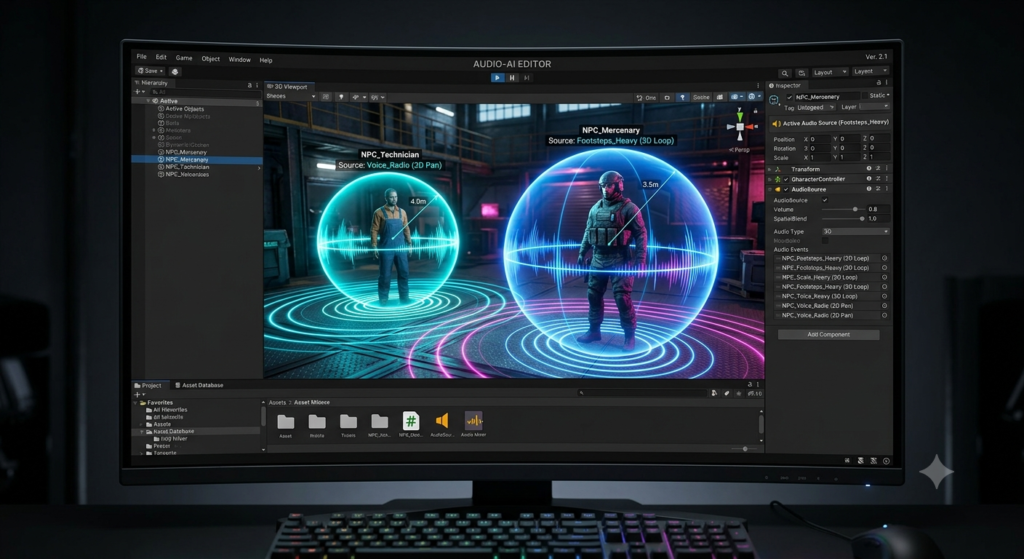
- Unity: Drag your audio file into the Assets folder, then attach it to an
AudioSourcecomponent on the relevant GameObject. - Unreal Engine: Import the file as a Sound Wave asset, then create a Sound Cue or use Metasounds for more advanced control.
- Godot: Add the audio file to your project folder and use an
AudioStreamPlayernode to trigger playback. - Custom/Python-based AI engines: Libraries like Pygame, Pyglet, or FMOD bindings allow you to load and play sound files programmatically.
Step 4: Trigger Sound with Game Logic or AI Events
This is where AI-driven games differ from traditional ones. Instead of only triggering sound on fixed player inputs, AI games often trigger sound based on dynamic decisions made by the AI system itself. For example:
- An AI opponent might trigger a “detection” sound when it spots the player.
- A procedural AI narrator might trigger different voice lines depending on player choices.
- A machine learning model controlling enemy behavior might change music intensity as difficulty increases.
To implement this, you generally hook your sound-triggering function into the same event system that drives your AI logic, so that every AI decision can optionally fire a corresponding audio cue.
Step 5: Balance and Mix Your Audio
Once sounds are playing correctly, adjust volume levels so that music, SFX, and voice do not compete with each other. Most engines let you group audio into channels (Music, SFX, Voice, Ambient) with individual volume sliders, which also makes it easy to add a settings menu for players later.
Step 6: Test Across Devices
Audio that sounds great on your headphones may sound very different on a phone speaker or laptop. Always test your game’s sound on multiple devices before release to make sure nothing is too loud, too quiet, or distorted. This final testing step is often the most overlooked part of the how to add sound to AI game workflow, yet it can make or break the player’s first impression.
Using AI Tools to Add Sound Faster
If you specifically want to know how to add sound to AI game projects using artificial intelligence itself (not just adding sound to a game that happens to use AI), there are several categories of tools worth exploring:
- AI Music Generators: Create original royalty-free background scores by describing mood, genre, or tempo.
- AI Voice Generators: Convert written dialogue into realistic character voices, useful for NPCs or narrators.
- AI Sound Effect Generators: Produce custom sound effects from text prompts, ideal for unique or stylized games.
- AI Audio Enhancers: Clean up recorded audio, remove background noise, or improve voice clarity automatically.
These tools dramatically reduce production time, especially for solo developers who don’t have access to a full sound design team, making the process of how to add sound to AI game projects accessible to almost anyone with an idea and a laptop.
Pros and Cons of Adding Sound to an AI Game
Pros
- Improved Immersion: Sound makes AI-driven interactions feel more lifelike and believable.
- Faster Production with AI Tools: AI-generated audio can cut asset creation time from days to minutes.
- Cost-Effective: Many AI audio tools are free or low-cost compared to hiring a composer or voice actor.
- Dynamic Feedback: Sound tied to AI logic helps players understand what the AI is “thinking” or reacting to.
- Accessibility: Audio cues can help visually impaired players navigate and understand game events.
Cons
- Licensing Confusion: Not all AI-generated audio is guaranteed royalty-free; always check the tool’s usage terms.
- Generic Output: Some AI-generated music or voices can sound repetitive or lack emotional nuance.
- Performance Overhead: Poorly optimized audio files or too many simultaneous sound triggers can affect game performance.
- Integration Complexity: Syncing AI decision-making with real-time audio triggers can require extra debugging.
- Quality Variance: AI voice generators may mispronounce names or technical terms, requiring manual correction.
Comparison Table: Manual Sound Design vs AI-Generated Sound
| Feature | Manual Sound Design | AI-Generated Sound |
|---|---|---|
| Speed of Production | Slow, requires recording/editing | Fast, generated in seconds |
| Cost | Can be expensive (composers, actors) | Often free or low-cost |
| Customization | Fully controllable, precise | Good but sometimes limited |
| Uniqueness | Highly original if self-made | Can sound generic on free tiers |
| Skill Required | Audio editing knowledge needed | Minimal skill, text prompts only |
| Best For | AAA or highly polished projects | Indie, prototypes, rapid iteration |
| Licensing Clarity | Usually clear (self-owned) | Varies by platform, check terms |
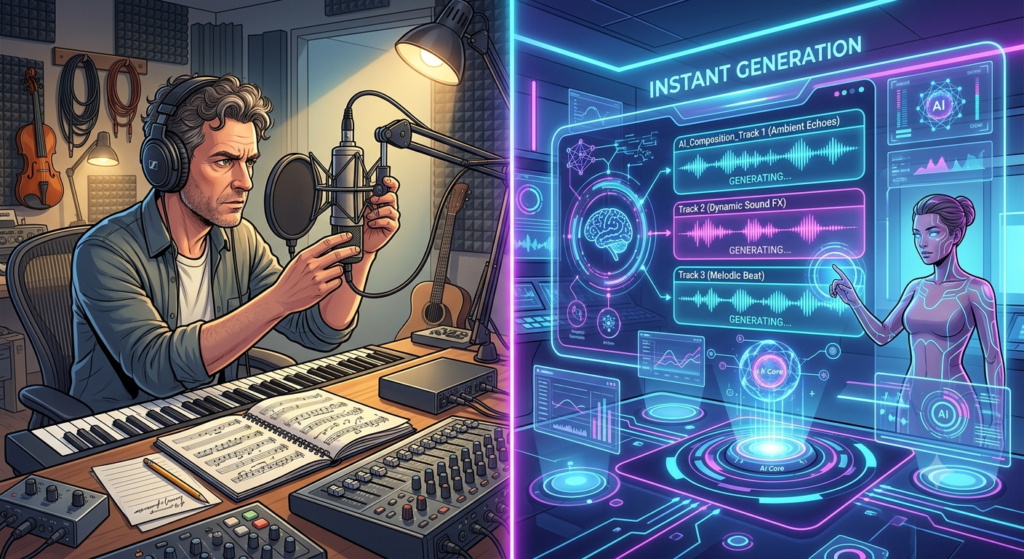
Best Tools to Add Sound to AI Game Projects
Choosing the right toolset is a big part of mastering how to add sound to AI game development, since the wrong tool can slow you down or produce inconsistent results. Below are some categories worth exploring, along with what makes each one useful for AI-driven projects.
- Digital Audio Workstations (DAWs): Software like Audacity, Reaper, or FL Studio lets you record, edit, and mix your own audio before importing it into your engine. These are ideal if you want full creative control over how your game sounds.
- AI Music Generation Platforms: These platforms let you describe a mood, genre, or scene, and instantly receive a royalty-free music track. This is one of the fastest ways to learn how to add sound to AI game backgrounds without composing anything from scratch.
- AI Voice and Text-to-Speech Tools: These convert scripted dialogue into natural-sounding character voices, which is extremely useful for AI-driven NPCs that generate dynamic conversations on the fly.
- Free Sound Effect Libraries: Websites offering royalty-free SFX packs are a great starting point if you are not ready to invest in AI-generated audio yet.
- Middleware Audio Engines: Tools like FMOD and Wwise integrate with Unity and Unreal Engine to give you fine-grained control over adaptive audio, which is especially valuable for AI games where sound needs to react to unpredictable in-game events.
Best Practices When Adding Sound to an AI-Driven Game
Once you understand the mechanics of how to add sound to AI game environments, the next step is following best practices that keep your project polished and professional:
- Keep file sizes optimized. Compress background music and long ambient tracks to avoid bloating your game’s build size.
- Use consistent audio style. Mixing very different music genres or voice tones across scenes can break immersion.
- Layer your sound design. Combine ambient sound, music, and SFX carefully so no single layer overwhelms the others.
- Let AI behavior drive variation. Instead of playing the exact same sound every time, use AI logic to randomly select from a pool of similar sound effects for more natural variety.
- Document your audio triggers. As your project grows, keep a simple spreadsheet or file mapping AI events to their corresponding sound cues, so debugging how to add sound to AI game logic later becomes much easier.
- Always credit or license correctly. Whether you use manually recorded audio or AI-generated tracks, keep records of licenses in case you need proof of ownership later.
Following these practices consistently is often what separates hobby projects from games that feel genuinely professional, even when built by a single developer learning how to add sound to AI game design for the first time.
Understanding these tools in detail is essential because picking the wrong one early on can make the entire how to add sound to AI game process feel more complicated than it needs to be.
Common Mistakes to Avoid
- Skipping audio testing on low-end devices, which can lead to lag or distortion.
- Overusing the same sound effect, making gameplay feel repetitive.
- Ignoring volume balancing, causing music to drown out important voice lines.
- Forgetting to add a mute/volume settings option, which frustrates players.
- Using copyrighted music without checking the license, risking takedowns on platforms like YouTube or Steam.
Avoiding these mistakes early will save you hours of rework later, and it keeps the overall process of how to add sound to AI game development smooth from prototype to final release.
Frequently Asked Questions (FAQs)
1. What is the easiest way to add sound to an AI game? The easiest way is to use a game engine’s built-in audio component (like Unity’s AudioSource) combined with free or AI-generated sound effects and music, then trigger playback through simple code events.
2. Can AI generate voice lines for NPC characters automatically? Yes, AI text-to-speech tools can convert written dialogue into spoken audio, which is especially useful for games with large amounts of NPC dialogue that would be expensive to record manually.
3. Which game engines are best for adding sound to AI-driven games? Unity, Unreal Engine, and Godot are all excellent choices, each offering built-in audio systems that support dynamic, AI-triggered sound events.
4. Is AI-generated music free to use commercially? It depends on the specific tool and its licensing terms. Some platforms offer full commercial rights, while others restrict usage, so always review the license before publishing your game.
5. How do I sync sound effects with AI behavior in real time? You connect your sound-triggering functions to the same event system or state machine that controls your AI logic, so that every AI decision can call a corresponding audio function.
6. Do small indie developers really need professional sound design? Not necessarily. With AI-powered audio tools, even solo developers can create polished, professional-sounding audio without a dedicated sound designer or large budget.
7. What file format should I use when I add sound to my AI game? WAV is best for short, high-quality sound effects, while OGG or MP3 is more efficient for longer background music tracks, keeping your overall build size manageable.
8. Can I mix manually recorded audio with AI-generated audio in the same project? Absolutely. Many developers combine both approaches — using AI tools for quick background music and sound effects, while recording custom voice lines or unique SFX manually for key moments.
9. How much does it typically cost to add sound to an AI game? Costs vary widely. Free sound libraries and AI generators can bring the cost close to zero, while hiring composers or voice actors for a fully custom soundtrack can range from a few hundred to several thousand dollars depending on scope.
Conclusion
Learning how to add sound to AI game projects is one of the most valuable skills a game developer can pick up, regardless of experience level. From choosing the right audio format to integrating AI-generated music, voice, and sound effects, the process is more accessible today than ever before thanks to modern AI tools. By following the step-by-step approach outlined above — sourcing audio, importing it correctly, triggering it through AI-driven events, and balancing your final mix — you can transform a silent prototype into an immersive, memorable gaming experience.
Whether you choose manual sound design, AI-generated audio, or a hybrid of both, the key is consistency and testing. Start small, experiment with different tools, and gradually refine your game’s audio landscape until every AI interaction feels as engaging to hear as it is to play.
