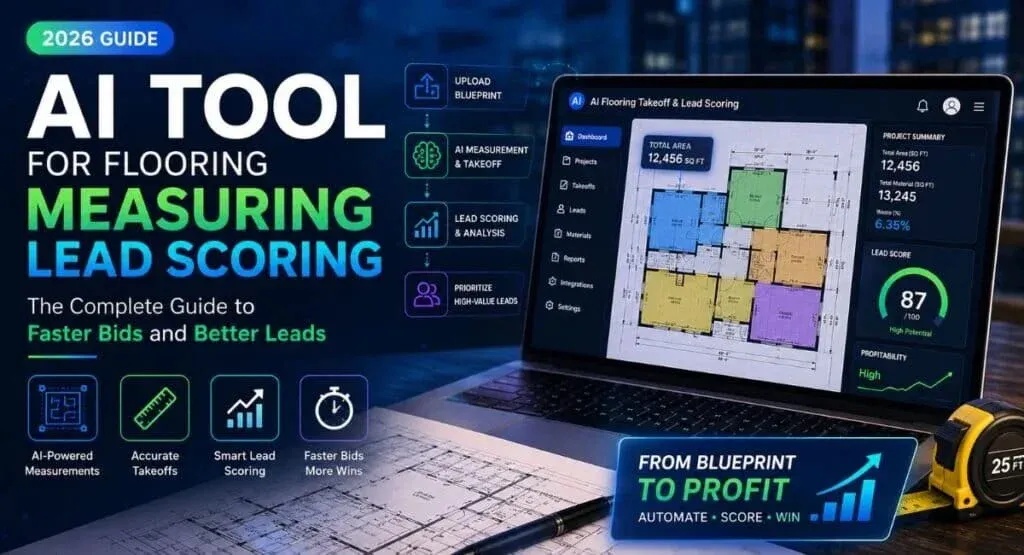
Ever had an estimator spend three hours measuring a blueprint, only to find out the customer’s budget was five hundred dollars? That’s the exact problem an AI tool for flooring measuring lead scoring is built to fix.
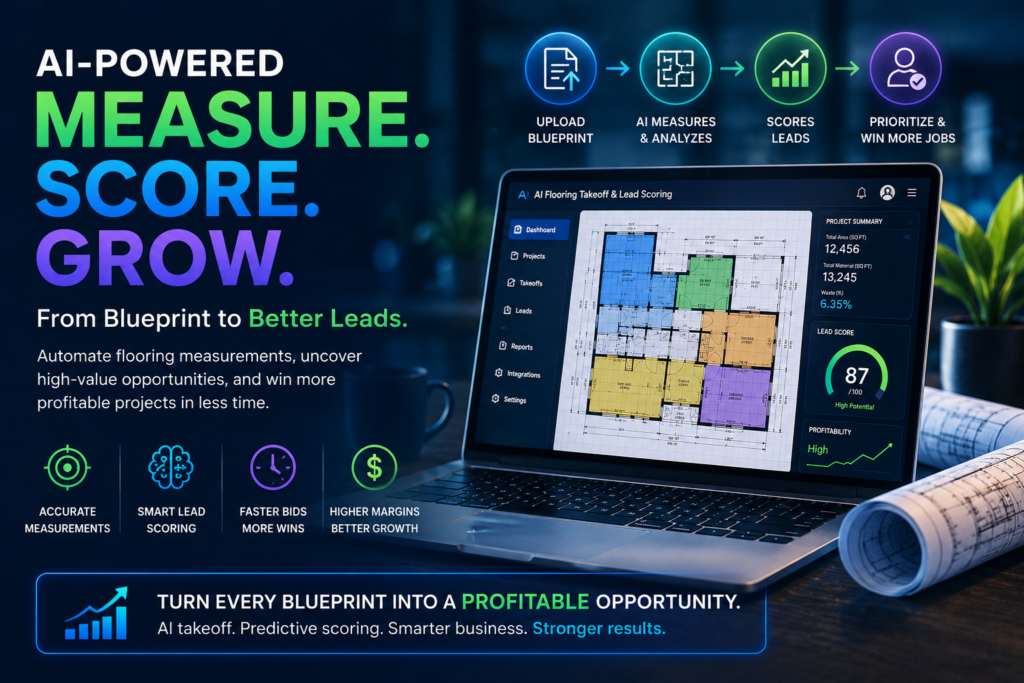
Here’s how it works. The software reads a blueprint, calculates the square footage, and scores the lead for profitability — all at the same time. What used to take an afternoon now takes minutes.
And in 2026, that speed matters more than ever. Staying profitable isn’t just about having great installers anymore. It’s about how fast you can turn a blueprint into a deal worth chasing.
Why Flooring Businesses Actually Need This
Estimators have always done two jobs without really being asked to. They measure the space. And, quietly, they judge whether the lead is even worth pursuing.
The problem? That judgment usually comes after hours of manual work. By then, half the day is already gone on a job that was never going to close.
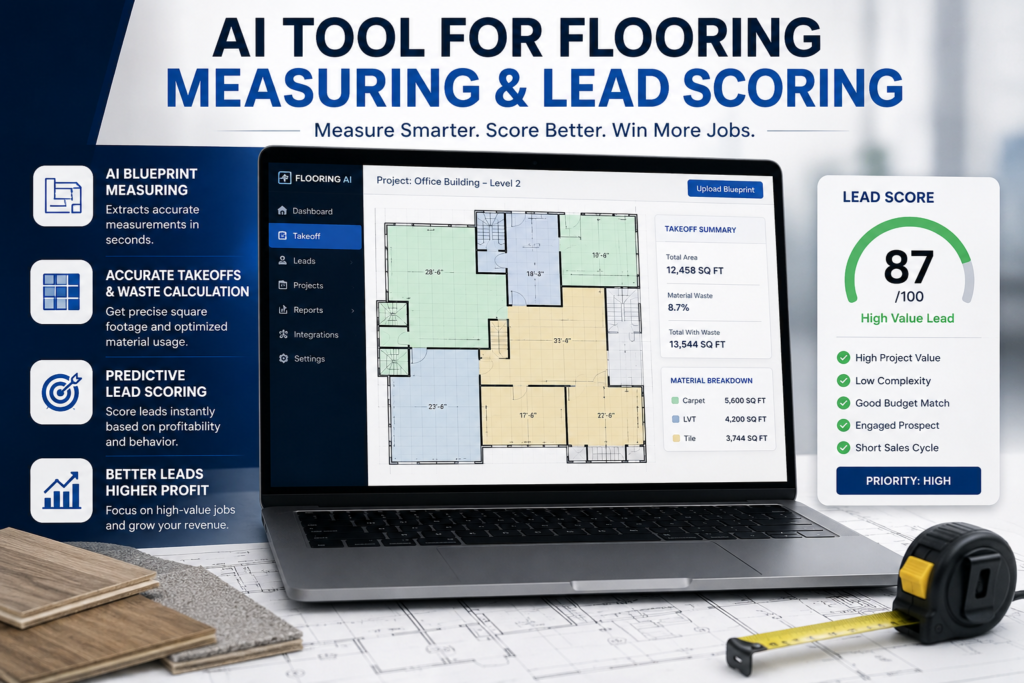
An AI tool for flooring measuring lead scoring flips that order. It measures the space using computer vision, then checks the project against real signals — budget, material choice, customer behavior — before anyone picks up the phone.
That one change is often the difference between a business that scales in 2026 and one that quietly bleeds margin.
How the Software Actually Works
Most platforms follow the same three-step process. Nothing too mysterious once you see it laid out.
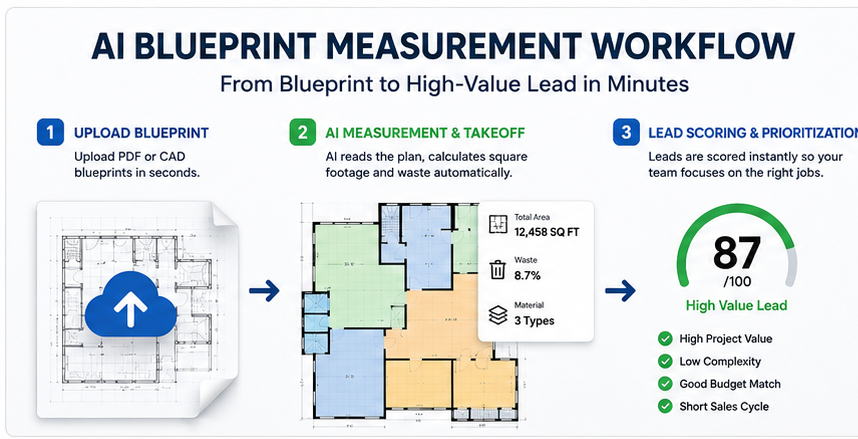
Step 1: It Reads the Blueprint
The AI doesn’t just detect lines on a page — it understands what it’s looking at. It can tell polished concrete apart from luxury vinyl plank or broadloom carpet, even across a fifty-page blueprint set. Usually in seconds.
This one step alone replaces hours of manual clicking and corner-tracing.
Step 2: It Calculates Footage and Waste
Once it has the raw measurements, the system works out total square footage — and material waste. Tight angles and unusual cuts push the waste factor (and labor cost) up.
A good takeoff tool flags this early. You don’t want to find out about it after the job’s already priced.
Step 3: It Scores the Lead
This is where an AI tool for flooring measuring lead scoring actually earns its name. The software connects to your CRM — HubSpot, Salesforce, whatever you use — and looks at both the project’s profitability and the prospect’s behavior.
It then assigns a score, usually 1 to 100. Your team knows instantly which jobs are worth a phone call.
One trick worth knowing: score leads on how clean the floorplan is, not just its size. A simple layout scores higher because it installs faster and earns more per hour. A floorplan full of custom cuts can look impressive on paper and still score low.
Traditional Estimating vs. AI-Driven Lead Scoring
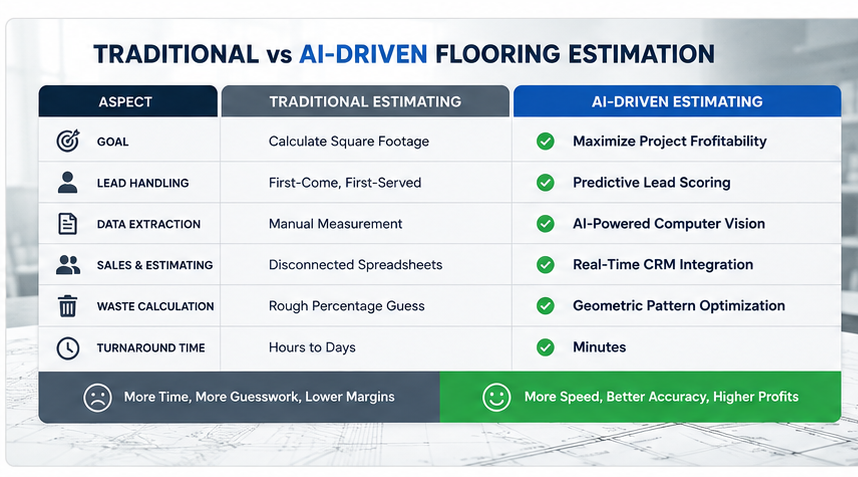
Old-school estimating and an AI tool for flooring measuring lead scoring aren’t just different tools — they run on completely different logic.
| Workflow Element | Traditional Estimating | AI-Driven Lead Scoring |
|---|---|---|
| Primary goal | Calculate square footage | Maximize project profitability |
| Lead prioritization | First-come, first-served | Predictive scoring based on profitability signals |
| Data extraction | Manual, click-by-click digitization | Multi-modal computer vision |
| Sales & estimating workflow | Separate spreadsheets | Real-time sync via API |
| Waste calculation | Rough percentage buffers | Geometric pattern optimization |
| Typical bid turnaround | Hours to days | Minutes |
Sorting Leads by Profitability
Most contractors treat every lead the same until the estimate is done. There’s a better way: sort leads by labor efficiency and how fast the deal is likely to close.
Roughly, leads fall into three buckets. Large jobs with low complexity? Call them immediately — these are your best leads. Small jobs with high complexity? Send an automated rough estimate; they don’t need a senior estimator’s time. Everything in the middle goes to an experienced estimator who can actually judge the details.
One thing a lot of contractors miss: supply timing. If someone wants an imported tile that’s backordered twelve weeks, a good system drops that lead’s score automatically. A big job that won’t close for three months isn’t always better than a smaller one closing next week.
What This Actually Looks Like in Practice
Take a mid-sized commercial flooring contractor doing about twelve million a year in revenue, before and after adopting an AI tool for flooring measuring lead scoring.
Before AI: four estimators, a forty-eight-hour bid turnaround, an eighteen percent win rate.
After AI: two estimators (the other two moved into sales support), a fifteen-minute bid turnaround, and a thirty-four percent win rate.
The revenue jump was real — mostly because the team stopped wasting time on “ghost leads,” the people who upload a blueprint just to shop around for a cheaper number.
Getting It Set Up
You don’t need to overhaul your whole operation to roll out an AI tool for flooring measuring lead scoring. A few steps get you most of the way there.
First, check that your current measuring tool can read both PDF and CAD files with multi-modal vision. Then define what a “perfect lead” looks like for your business — say, a commercial job over five thousand square feet in luxury vinyl plank.
Next, map out how data should flow from your takeoff software into your CRM, so leads land with the right person automatically. Finally, set a rejection threshold. Anything scoring below thirty, for instance, can get an automated pricing guide instead of an estimator’s time.
What It Costs, and What You Get Back
An AI tool for flooring measuring lead scoring isn’t free, but most flooring businesses recover the cost faster than they expect. Software usually runs three hundred to eight hundred dollars a month per user, plus a one-time setup fee somewhere between twenty-five hundred and five thousand dollars.
The payoff comes from two places: less estimator burnout, and more bids handled without adding headcount — often forty percent more.
The math is simple enough. Take your improved win rate, multiply by your average margin, subtract the software cost. What’s left is your gain. Most contractors see that pay for itself within ninety days.
Where It Can Go Wrong
No technology is risk-free, and it’s worth saying so plainly.
The biggest one: misread measurements. AI can confuse a quarter-inch scale with an eighth-inch scale, especially on a rough scan, and that throws off the whole square footage number.
The fix is simple — keep a human reviewer on any bid above a certain dollar amount, so a scaling error never reaches a client unchecked.
Data security matters too. Blueprints are proprietary. Before uploading anything sensitive, it’s worth confirming the platform actually follows recognized data protection standards.
The Trade-Offs, Honestly
The upside is real: bid turnaround drops from days to minutes, manual measuring errors disappear, and low-margin leads get filtered out before they eat anyone’s time. Teams handle more bids without hiring more people.
But it’s not magic. The system needs good digital uploads to work well — a poor scan still causes problems. Connecting your CRM takes real setup time. And the subscription cost adds up if you’ve got a big team.
Why This Matters for 2026
If you’re still measuring blueprints by hand, the issue isn’t just speed — it’s visibility. Buyers now expect a quote in minutes, not days.
Bring in an AI tool for flooring measuring lead scoring, and your business stops being just a measuring service. It becomes a revenue engine, where every hour of estimator time goes toward the jobs most likely to actually close.
Metrics Worth Watching
A handful of numbers matter more than the rest once you go digital.
Bid turnaround time — how long from blueprint upload to a finished quote. This should drop from days to minutes fast.
Win rate by lead score — leads scored above eighty should convert noticeably better than leads below forty. If they don’t, your scoring rules need adjusting, not the tech.
Estimator hours per closed deal — this tells you whether the system is actually saving time, not just adding a new dashboard to check.
Waste percentage vs. actual usage — compare predicted waste to what installers really used on-site. This confirms the math holds up in the real world, not just on paper.
Picking the Right Platform
Not every AI tool for flooring measuring lead scoring on the market is built the same, so it pays to be picky. Start by checking whether it supports both PDF and CAD — relying on just one format limits how many leads you can actually process.
Ask how often the vendor updates its computer vision models, too. Materials and blueprint styles change, and a model that hasn’t been retrained will start slipping.
And check how flexible the scoring rules are. A platform with one fixed formula won’t fit every business — you want to adjust the weight given to size, material, complexity, and timeline.
FAQ
Can AI read hand-drawn floorplans? Yes, reasonably well — though accuracy improves a lot with clean digital PDFs.
Does an AI tool for flooring measuring lead scoring replace estimators? No. It changes the job. Less manual data entry, more time reviewing flagged jobs and managing the pipeline.
Best CRM to pair with a flooring measuring tool? HubSpot and Salesforce are the most common picks, thanks to strong integration support — though smaller, industry-specific tools are catching up.
How does it calculate material waste? By analyzing room geometry alongside how a specific material needs to be cut and laid. Far more accurate than a spreadsheet buffer.
Worth it for residential contractors? Depends on volume. High-end custom work still benefits from a personal touch. High-volume, repeatable residential jobs? This becomes essential fast.
Conclusion
An AI tool for flooring measuring lead scoring isn’t a futuristic add-on anymore — it’s fast becoming the baseline. The shift from slow manual takeoffs to instant, profitability-ranked leads saves time, sure.
But more importantly, it changes which jobs your team spends time on in the first place. And that’s really what separates a business that grows from one that just stays busy.
