Let’s be honest — most people who try AI music generators end up disappointed. They type “make me a sad song” and get back something generic and forgettable. The problem usually isn’t the AI, it’s the prompt. That’s exactly why the search for the best musician prompt maker has picked up so much steam lately, and why this guide covers what these tools do, which ones are worth trying in 2026, plus pros, cons, a comparison table, and FAQs along the way.
What Is a Musician Prompt Maker?
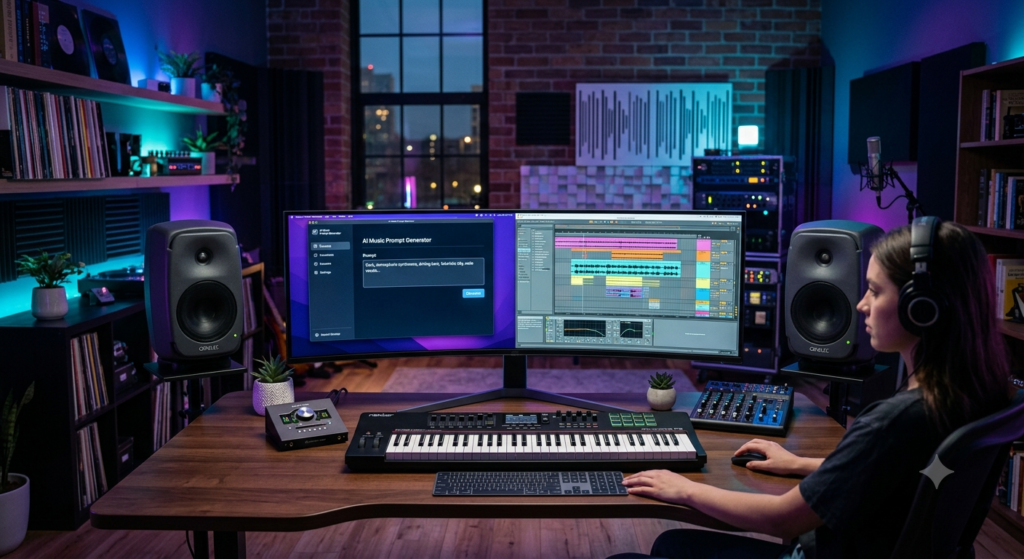
At its core, a Best Musician Prompt Maker is a tool that helps you write better prompts for AI music generation platforms. Instead of typing a vague one-liner, it nudges you toward something far more specific — genre, mood, instrumentation, vocal delivery, tempo, and sometimes even a reference artist or era.
Here’s the kind of detail a good prompt usually includes:
- Genre and sub-genre (lo-fi hip hop, synthwave, afrobeat, indie folk)
- Mood and emotional tone (melancholic, euphoric, nostalgic, aggressive)
- Instrumentation (acoustic guitar, 808 bass, string section, vinyl crackle)
- Vocal style (raspy male vocals, ethereal female harmonies, auto-tuned rap delivery)
- Tempo and structure (BPM, verse-chorus-bridge, build-up and drop)
- Reference artists or sonic inspiration
Think of it less as a gimmick and more as a translator between what’s in your imagination and what the AI needs to hear in order to output something close to it. It borrows from ideas around AI composition tools and music production assistants, but its whole job is just one thing: helping you say what you mean, musically.
Honestly, once you’ve used a Best Musician Prompt Maker for a week or two, going back to typing raw, unstructured prompts feels a bit like trying to cook without a recipe — you can still get somewhere, it just takes a lot longer and the results are far less predictable.
Why Musicians Actually Need One
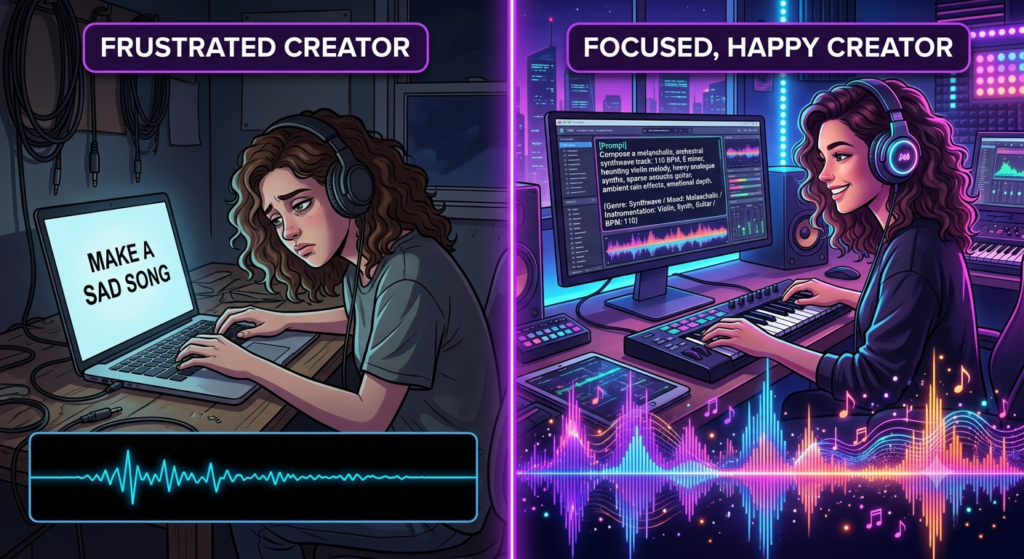
I’ll admit, when I first heard about “prompt tools for music,” it sounded a bit unnecessary. Just type what you want, right? Except it turns out most of us are terrible at describing music in words — we know what we want when we hear it, not before. That disconnect is exactly what causes bland, off-genre output.
A decent Best Musician Prompt Maker fixes a few specific problems:
- Higher quality output, because the prompt gives the AI accurate direction on instrumentation and mix
- Better genre accuracy, so you don’t end up with something that “sounds AI”
- Faster iteration, since you’re not rewriting prompts from scratch every single time
- Consistency, which matters a lot if you’re producing music for an entire album or a branded content series
- Time saved, letting you focus on the creative direction instead of prompt syntax
This turns out to be especially handy for YouTubers who need background music, podcasters wanting a custom intro, game developers building adaptive soundtracks, and honestly anyone experimenting with royalty-free AI music who doesn’t want to spend an hour fiddling with wording just to get a usable track.
None of this means a Best Musician Prompt Maker is doing the creative work for you. It’s more like a good editor — it won’t write your story, but it’ll make sure the sentence actually says what you meant it to.
How Does a Musician Prompt Maker Actually Work?
Most of these tools follow a fairly similar process, even if the interface looks different from one to the next.
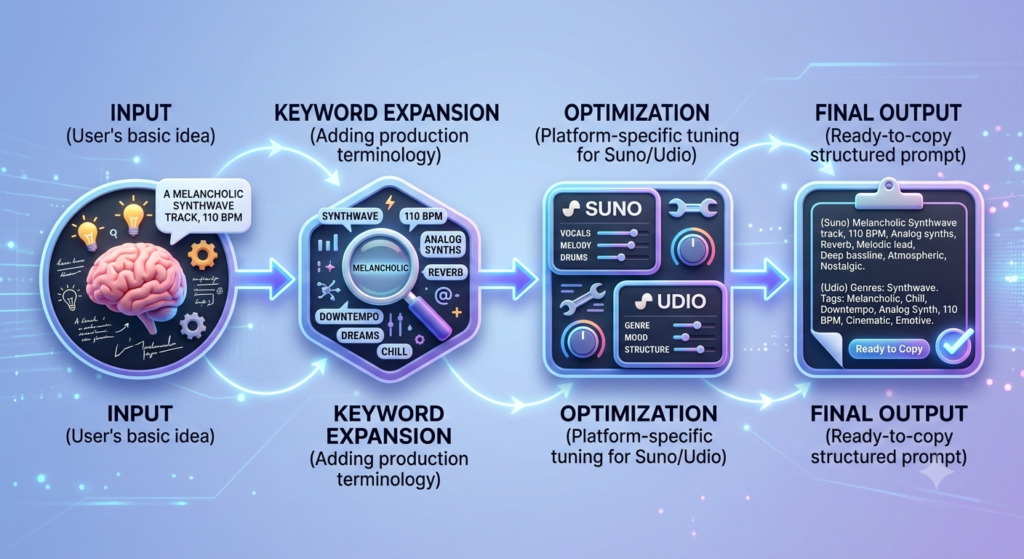
- Input collection — you give it the basics: genre, mood, maybe a reference song or artist
- Keyword expansion — it pulls in related musical terms, things like “chillhop beats” or “cinematic orchestral score,” to add texture to your prompt
- Structuring — it arranges everything into a sequence the AI can parse cleanly (genre → mood → instruments → vocals → tempo)
- Optimization — better tools adjust wording based on what tends to work well on specific platforms
- Delivery — you get a ready-to-paste prompt, sometimes a few variations to test side by side
Some of the more advanced tools also save your prompt history, let you build out a personal genre library, and offer one-click regeneration so you can A/B test different directions without starting over. It’s not magic — it’s really just structured thinking, dressed up as software.
Key Features Worth Looking For
Before picking a tool, it’s worth checking whether a Best Musician Prompt Maker actually offers these:
- Genre and mood libraries with ready-made templates for popular styles
- Compatibility with the platforms you already use, like Suno or Udio
- Related keyword suggestions to add nuance without you having to think of every term yourself
- Saved prompt history so you can revisit and tweak older ideas
- Batch generation if you need multiple variations quickly
- A usable free tier, especially if you’re just testing the waters
- Community templates shared by other musicians
- Simple export options — copy, download, or API access
Best Musician Prompt Maker Tools in 2026 (Comparison Table)
| Tool Name | Best For | Free Plan | Genre Library | Platform Compatibility | Unique Feature |
|---|---|---|---|---|---|
| PromptTune AI | Beginners & hobbyists | Yes | Large | Suno, Udio | One-click mood expansion |
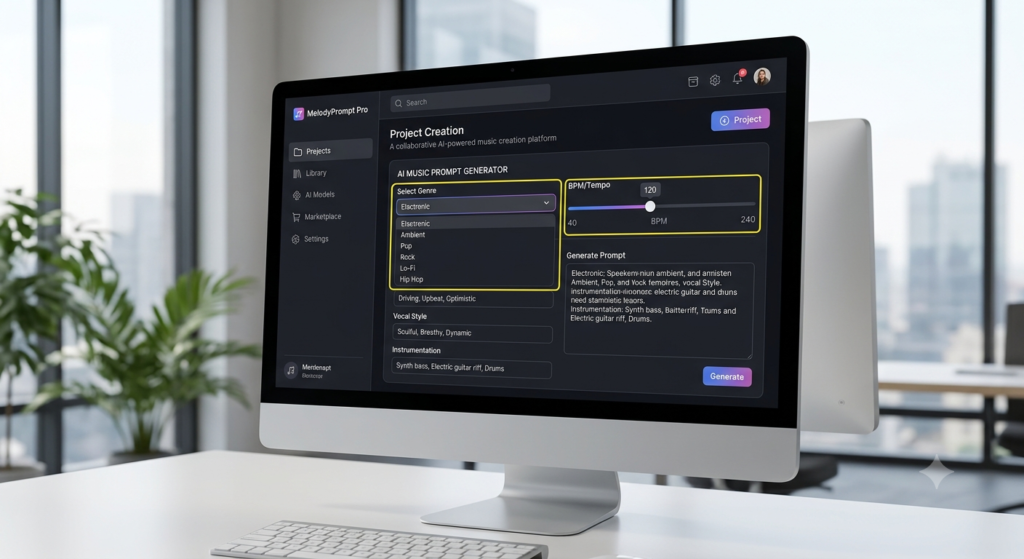
| MelodyPrompt Pro | Professional producers | Limited | Extensive | Suno, Udio, AIVA | Advanced BPM/structure control |
| SongCrafter GPT | Content creators | Yes | Medium | Soundraw, Udio | Batch prompt generation |
| VerseForge | Lyricists & songwriters | Yes | Medium | Suno | Lyrical + musical prompt combo |
| BeatSeed AI | Beat makers | Limited | Large | Udio, Suno | Genre-fusion prompt builder |
| Harmonix Prompt Studio | Studios & teams | No | Extensive | Multi-platform API | Team collaboration & template sharing |
Feature sets on these platforms change often, so it’s worth double-checking the official site before subscribing to anything.
Pros and Cons, Honestly
Nothing is perfect, and that includes these tools. I’d rather be upfront about the downsides than pretend every Best Musician Prompt Maker on the market is a flawless shortcut — here’s a fair look at both sides.
Pros
- Saves real time compared to manually experimenting with wording
- Improves output quality using proven keyword structures
- Great for beginners who don’t know production jargon yet
- Encourages experimentation through genre-fusion suggestions
- Scales well if you need multiple tracks quickly
- Cuts down wasted generations on platforms with limited free credits
Cons
- Can feel formulaic if you lean on templates without adding your own voice
- Some learning curve for advanced features like BPM or structure control
- Free tiers are often stingy with daily generations
- Doesn’t replace musical knowledge — you still benefit from understanding genres and instruments
- Platform dependency, since a prompt tuned for one AI generator might not translate perfectly to another
- Quality varies a lot between tools, so testing a couple before committing is a good idea
A Few Tips for Writing Better Prompts Yourself
Even with a solid tool doing the heavy lifting, a few manual habits go a long way:
- Get specific with instrumentation — “fingerpicked acoustic guitar with subtle reverb” beats just “guitar”
- Layer your moods — something like “hopeful yet melancholic” adds nuance a single mood word can’t
- Reference an era or production style — “90s boom-bap drums” or “80s synthwave production” gives the AI a strong anchor
- Include a tempo range — specifying 90–100 BPM keeps things rhythmically consistent
- Change one thing at a time — mood, then instruments, then vocals — so you actually learn what’s moving the needle
These same habits apply whether you’re chasing a cinematic score, building a relaxed lo-fi vibe, or fine-tuning vocal synthesis for something more experimental. Keep a running list of terms that worked well for you — genres, moods, instruments — and future prompts get a lot faster to write.
Who Actually Benefits From This?
A Best Musician Prompt Maker isn’t just for one type of creator — here’s who tends to get the most out of one:
- Independent musicians experimenting with AI-assisted composition for demos or full tracks
- Content creators needing quick background scores for videos or podcasts
- Game developers who need adaptive or ambient soundtracks
- Marketing teams producing jingles or branded audio
- Music students learning how genre, mood, and instrumentation actually connect to sound
- Songwriters pairing lyrical themes with the right instrumental direction
Frequently Asked Questions
Q1: What’s the best musician prompt maker for beginners? Something with simple templates and a genuinely usable free tier — PromptTune AI or SongCrafter GPT are decent starting points since they don’t demand a lot of production vocabulary upfront.
Q2: Do these tools work with every AI music generator? Not really. Some are tuned specifically for Suno or Udio, so it’s worth checking compatibility before you commit to a subscription.
Q3: Is this only useful for AI-generated music? Mostly, yes — but the structured thinking it teaches (genre, mood, instrumentation, tempo) can also help you communicate ideas to human collaborators more clearly.
Q4: Are these tools free to use? Many have a free tier with limited daily generations. Batch generation and team features are usually behind a paywall.
Q5: Can I use one for lyrics too? Some, like VerseForge, combine lyrical prompts with musical direction, which is handy if you want a full song rather than just an instrumental.
Q6: How do I know if my prompt is good enough? If it covers genre, mood, instrumentation, vocal style, and tempo, you’re in decent shape. Generic output usually means one of these is missing or too vague.
Q7: Will this replace actual music production skills? No. It speeds up ideation and cuts down on trial and error, but mixing, arrangement, and taste still matter for a polished final product.
Conclusion
AI music generation created a genuinely new skill — prompt writing — and the tools built to help with it exist because that skill isn’t intuitive for most people. Whether you’re a hobbyist messing around with AI-assisted songwriting, a creator who just needs a decent background track, or a producer trying to speed up your ideation, picking the right prompt tool can change your workflow more than you’d expect.
When you’re choosing one, care more about genre libraries, platform compatibility, and ease of use than flashy extras you’ll probably never touch. Start free, see how the output feels, and upgrade only once you’re sure a tool actually matches how you think about music. At the end of the day, no tool writes the vision for you — it just helps you say it clearly enough for the AI to follow.
Get that part right, and the best musician prompt maker becomes less of a novelty and more of a genuine part of how you make music. Try one out on your next idea, see how it changes your process, and you’ll probably understand pretty quickly why so many creators have stopped writing raw prompts by hand.
