
Choosing between Revid vs HeyGen has become one of the most common questions among content creators, marketers, and small business owners who want to produce video content without stepping in front of a camera every day. Both platforms use AI avatars to turn a simple script into a finished video, but they were built with different goals in mind, and picking the wrong one can slow down your entire content workflow, waste your budget, or leave you with videos that never quite feel like “you.”
In this guide, we will break down these two platforms across features, pricing, pros and cons, real-world use cases, and a final verdict to help you decide which tool actually fits the way you create. By the end, you should have a clear answer to whether Revid, HeyGen, or a completely different approach makes the most sense for your channel.
Why the Revid vs HeyGen Comparison Matters in 2026
Short-form video is now the main driver of discovery on platforms like YouTube Shorts, TikTok, and Instagram Reels. Algorithms reward creators who publish consistently, and filming everything manually simply isn’t realistic for most people juggling a business, a job, or a growing audience.
This is exactly why AI avatar tools have exploded in popularity, and why this debate keeps coming up in creator communities. Both tools promise to turn a script into a polished, presenter-style video in minutes, but the way they get there is quite different, and that difference matters once you start creating at scale.
There’s also a bigger shift happening behind the scenes. Audiences are getting better at spotting generic, templated AI content, which means the tool you choose can directly affect how authentic your videos feel. That’s part of why so many creators research this topic carefully before committing to a monthly plan.
Revid vs HeyGen: Quick Comparison Table
Here’s a quick side-by-side snapshot before we go deeper into each category:
| Feature | Revid | HeyGen |
|---|---|---|
| Best for | Cinematic, brand-style videos | Fast, simple avatar videos |
| Avatar style | Stylized, cinematic delivery | Realistic, corporate presets |
| Max resolution | 4K on select plans | 4K only on $99/mo Pro plan |
| Learning curve | Moderate to steep | Very beginner-friendly |
| Multilingual support | Limited | Strong dubbing and lip-sync |
| Custom avatar/voice clone | Extra cost | Extra cost |
| Short-form editing (captions, pacing) | Not built in | Not built in |
| Scripting assistance | Not included | Not included |
| Starting price | Higher upfront, more included | Lower upfront, upgrades add up |
This table gives you the headline differences at a glance, but the details below explain why each of these points matters in practice.
What Is Revid?
Before diving deeper into the Revid vs HeyGen comparison, it helps to understand what each tool actually is. Revid is an AI video platform built around cinematic presentation. It positions itself as a tool for creators and brands who want their videos to look more like a produced piece of content rather than a quick talking-head clip. It leans on visual styling, framing options, and higher-resolution exports to appeal to agencies and studios.

What Is HeyGen?
HeyGen is one of the most widely recognized AI avatar generators on the market, known primarily for how quickly it can turn a script into a video. It offers a large library of preset avatars and multilingual voice options, and it’s often the first tool people try when experimenting with AI-generated presenters for the first time.

Revid vs HeyGen: Features Comparison
When you look closely at both tools, the feature sets reveal two very different philosophies.
HeyGen focuses on speed and simplicity. It offers a large library of preset avatars, quick voice generation, and a streamlined interface that lets you go from script to video in just a few clicks. It’s built for creators who want something usable right away without a learning curve. Multilingual dubbing and lip-sync are also strong points, making it popular with teams localizing content for different markets.
Revid leans into cinematic presentation. It gives users more control over framing, gestures, and visual style, which makes it a better fit for studio-style content or brand videos that need a more polished look. The trade-off is that this extra control takes more time to set up, and creators without prior video experience may find the options overwhelming at first.
Neither tool includes built-in scripting assistance, and both fall short when it comes to short-form-specific features like automatic captions, transitions, and vertical pacing — something creators often need to fix in a separate editor afterward. If your workflow already includes a dedicated editing step, this may not matter much. But for solo creators trying to keep everything in one place, it’s a real gap.
Revid vs HeyGen: Pricing Breakdown
Pricing is often where this decision gets complicated, because the entry-level cost doesn’t always reflect what you’ll actually pay.
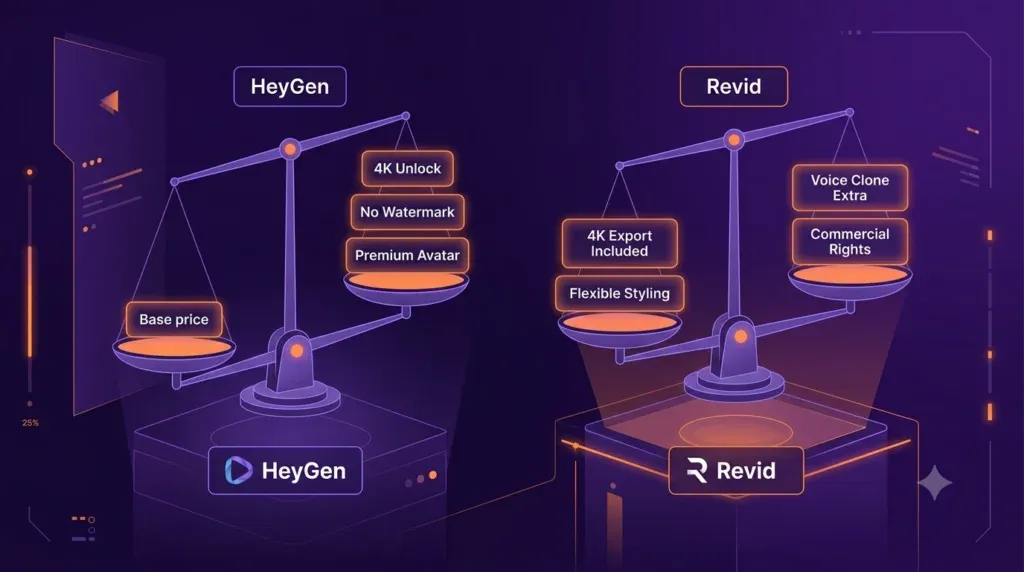
- HeyGen has an affordable starting price, but export limits, watermark removal, and higher-resolution output are locked behind upgrades. Its top-tier Pro plan, which unlocks 4K exports, starts at $99 per month. Teams that need multiple seats or commercial licensing will also pay more as they scale.
- Revid starts at a higher monthly price but includes more flexibility from the beginning, including 4K output on select plans. However, extras like custom avatars, voice cloning, and commercial usage rights can push the final bill much higher than the advertised rate.
If you’re comparing these tools purely on the headline price, you may be missing the downstream costs that show up once you start scaling production. A creator publishing one video a week has very different needs from an agency producing dozens of videos monthly, and the pricing tiers of both platforms are structured with that difference in mind.
Revid vs HeyGen: Pros and Cons
Weighing Revid vs HeyGen side by side on their strengths and weaknesses makes the decision much clearer.
HeyGen Pros
- Fast, beginner-friendly workflow
- Large library of ready-made avatars
- Quick turnaround for short, simple scripts
- Strong multilingual and dubbing support
HeyGen Cons
- Emotional range and expressiveness feel limited
- 4K output only available on the priciest plan
- Deeper customization requires expensive add-ons
Revid Pros
- Cinematic, polished visual output
- More control over framing and delivery
- Higher-resolution export options
- Better suited to scripted, brand-style videos
Revid Cons
- Steeper learning curve and setup time
- No native short-form editing features
- Custom avatars and voice cloning cost extra
Looking at both platforms side by side, it’s clear that neither tool is a complete solution on its own — each one solves half of the problem well and leaves the other half for you to figure out.
Revid vs HeyGen: Use Cases
Comparing Revid vs HeyGen becomes much easier once you look at how each tool fits into real workflows:
- Solo creators publishing daily Shorts or Reels: HeyGen’s speed makes it easier to keep up with a frequent posting schedule.
- Agencies producing long-form YouTube or brand content: Revid’s higher-resolution output and cinematic style suit polished, longer videos.
- Course creators and educators: HeyGen’s simple setup works well for straightforward explainer videos where clarity matters more than visual flair.
- Brands needing character-driven ads: Revid’s stylistic control is better suited to scripted, ad-style content that needs a specific mood or tone.
- Global teams localizing content: HeyGen’s multilingual dubbing makes it a practical choice for reaching audiences in multiple languages without re-recording from scratch.
- Creators building a personal brand: Both tools rely on preset or licensed avatars rather than a true likeness of the creator, which can limit how personal the content feels.
This last point is actually where many creators pause mid-decision. After testing both platforms, some realize they want an avatar that looks and sounds like them specifically, rather than a stock character — which is where a tool like Argil, which clones the creator instead of offering presets, tends to enter the conversation.
Revid vs HeyGen: Final Verdict
There’s no single winner when it comes to these two tools — the right choice depends entirely on your priorities.
- Choose HeyGen if speed, simplicity, and a quick learning curve matter most to you, especially if you’re publishing frequently or need multilingual versions of your content.
- Choose Revid if you value cinematic quality and are willing to spend extra time on setup to get a more polished, brand-consistent look.
If your goal is to scale video production while keeping your own personality and voice intact, it’s worth exploring alternatives that go beyond what these platforms currently offer, especially tools built around creator likeness rather than generic avatars. For many creators, the real decision isn’t just Revid or HeyGen — it’s whether a stock avatar can ever fully represent their brand at all.
Frequently Asked Questions
1. Which is better for beginners, Revid or HeyGen? HeyGen is generally easier for beginners because of its simple, fast workflow. Revid offers more creative control but takes longer to learn.
2. Does Revid or HeyGen support 4K video? Revid offers 4K on select plans at a lower entry cost, while HeyGen only unlocks 4K on its most expensive Pro tier at $99 per month.
3. Can I clone my own voice or face in these tools? Both platforms offer custom avatar and voice cloning options, but these usually require additional fees beyond the base subscription.
4. Is Revid or HeyGen better for short-form content like Reels and Shorts? Neither tool is fully optimized for short-form pacing out of the box. Both typically require external editing for captions, transitions, and platform-specific formatting.
5. Which is more cost-effective long-term, Revid or HeyGen? Costs for both tools rise as you add features like higher resolution, custom avatars, or commercial licensing, so the real cost depends on how much customization your content needs.
6. Can I use Revid or HeyGen for multilingual content? HeyGen has stronger built-in support for multilingual dubbing and lip-sync, making it a more practical choice for teams localizing videos across several languages.
7. Do Revid and HeyGen offer a free trial? Both platforms typically offer limited free tiers or trials so you can test the avatar quality and workflow before committing to a paid plan, though exact terms can change over time.
Conclusion
Weighing Revid vs HeyGen one more time: this comparison ultimately comes down to what you value more: speed or polish. HeyGen wins on simplicity and quick turnaround, while Revid wins on visual quality and creative control. Neither tool is objectively “better” — the smarter move is matching the tool to your workflow, your budget, and how personal you want your content to feel.

If you find yourself wanting more than what either tool can offer, especially around personalization and speed together, it may be worth exploring other AI video platforms built specifically around creator likeness. Whichever direction you choose, testing both on a small, low-stakes video first is the safest way to see which workflow actually fits how you create.
